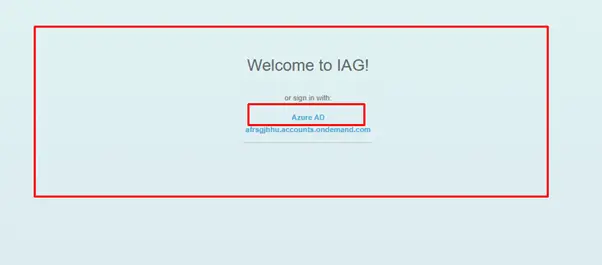

SAP Business Technology Platform (BTP) is a cloud-based platform that provides a range of services and capabilities for developing, extending, and integrating applications. SAP BTP supports multiple identity providers (IDPs) for authentication and authorization of users and applications. One of the supported IDPs is Microsoft Azure Active Directory (Azure AD), which is a cloud-based identity and access management service that offers single sign-on (SSO) and multi-factor authentication (MFA) for cloud and on-premises applications.
This document provides a step-by-step guide to configure Azure AD as an IDP for SAP BTP. By following this guide, you will be able to enable SSO and MFA for your SAP BTP applications using Azure AD as the source of identity and credentials. You will also learn how to synchronize user attributes and groups between Azure AD and SAP BTP, and how to assign roles and permissions to users and groups based on their Azure AD attributes and memberships.
Prerequisites:
- An SAP BTP account with administrator privileges.
- An Azure AD tenant with administrator privileges.
- A valid Azure AD subscription.
- An Azure AD application that represents your SAP BTP account.
Steps:
- Create a trust configuration between SAP BTP and Azure AD.
- Configure the Azure AD application for SSO and MFA.
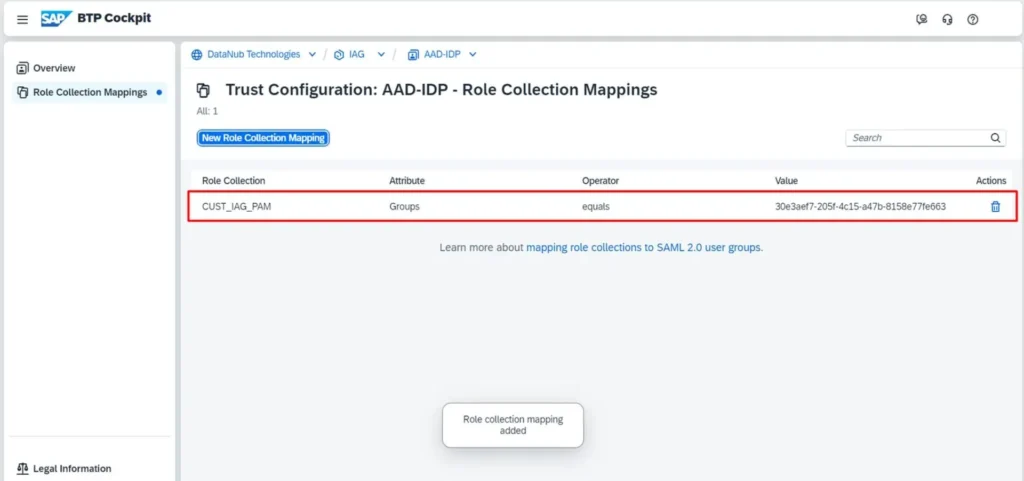
- Map user attributes and groups between Azure AD and SAP BTP.
- Assign roles and permissions to users and groups based on their Azure AD attributes and memberships.
- Test the SSO and MFA functionality for your SAP BTP applications.
Technical Steps:
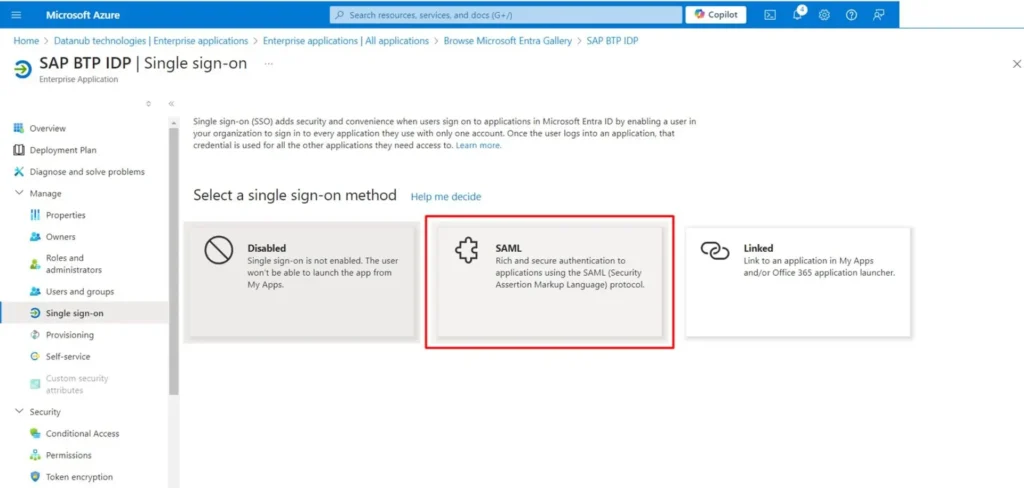
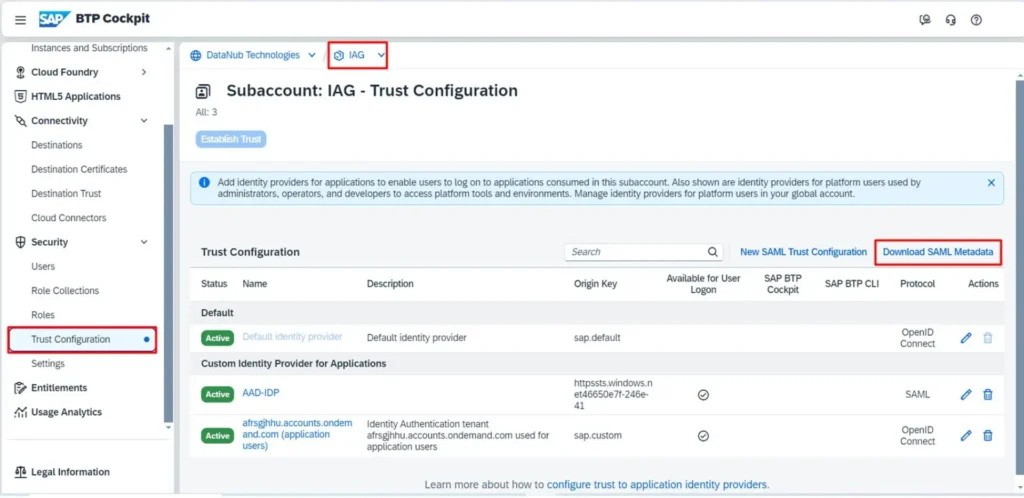
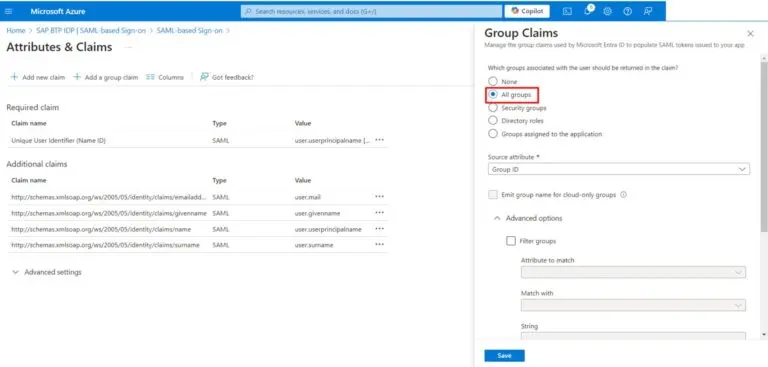
Output