(A). Error –
While saving any long text in SAP GRC application, an error message Creating text XXXXXXX /LONG_TEXT failed is displayed.
Root Cause –
Long text entry needs to be available in TTXOB against the object type, ideally this needs to be copied from 000 and missing this type as a part of implementation would result in the above error.
Fixes –
1. On transaction SE75 choose option Text Objects and IDs
2. Select create and add new object “GRC” with:
- Description: GRC
- Save Mode :Update
- Interface:TA
- Line Width: 72
- Style: SYSTEM
- Form: SYSTEM
3. Now double-click the GRC object added and include the below Text ID’s and Descriptions:
- AEV1 Auditable Entity Description
- APV1 Audit Plan Proposal Description
- ARR1 Audit Risk Rating description
- AUV1 Audit Proposal
- LTXT Long Text
- NOTE Notes History
- PMC1 Policy Comments
- PMG1 Policy Group Description
- PMS1 Policy Source Description
- PMV1 Policy Description
- PMV2 Policy Purpose
- PMV3 Policy Notes
- PMV4 Policy
- Exclusion
4. Check the Text Name Display checkbox for all of them and save;
(B). Error –
Risk is not visible in Monte Carlo Analysis
Root Cause –
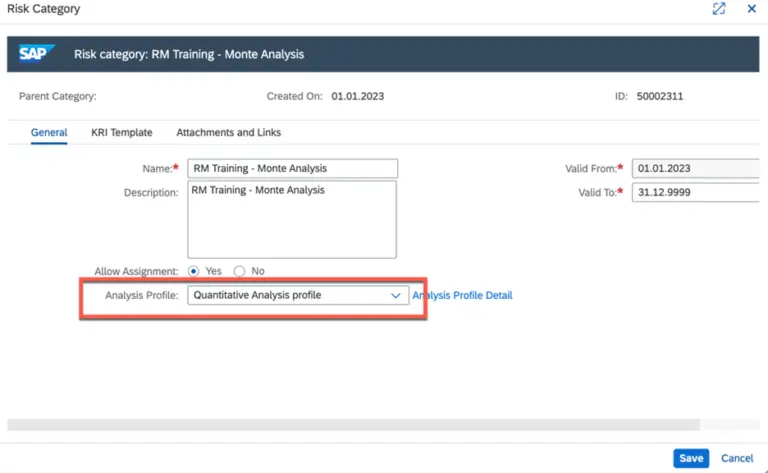
Monte Carlo analysis is available only for the Quantitative risk , unless the analysis profile is selected as quantitative the calculation will not happen.
Fixes
Set the analysis profile as Quantitative in Risk Category.
(C). Error –
Work item not generated in policy survey assessment.
Root Cause –
Policy assessment works only in offline mode (works only with Adobe Interactive forms / OWP).
Fixes
Enable OWP functionality or implement a customized solution developed by Datanub
(D). Error –
Work item not generated post triggering of planner in risk assessments.
Root Cause –
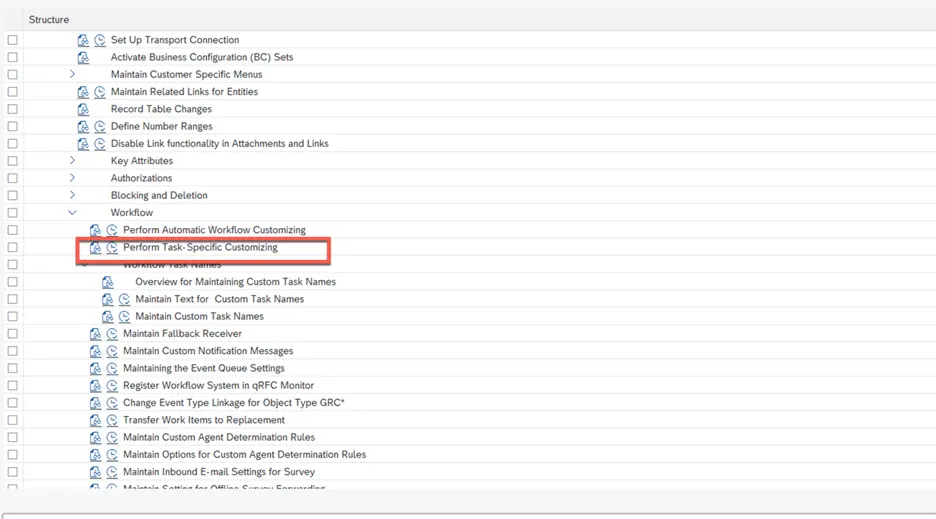
Task specific customization is required as a part of work activation, task will not be triggered unless its activated post planner trigger.
Fixes
Enable task specific customization setting.
(E). Error –
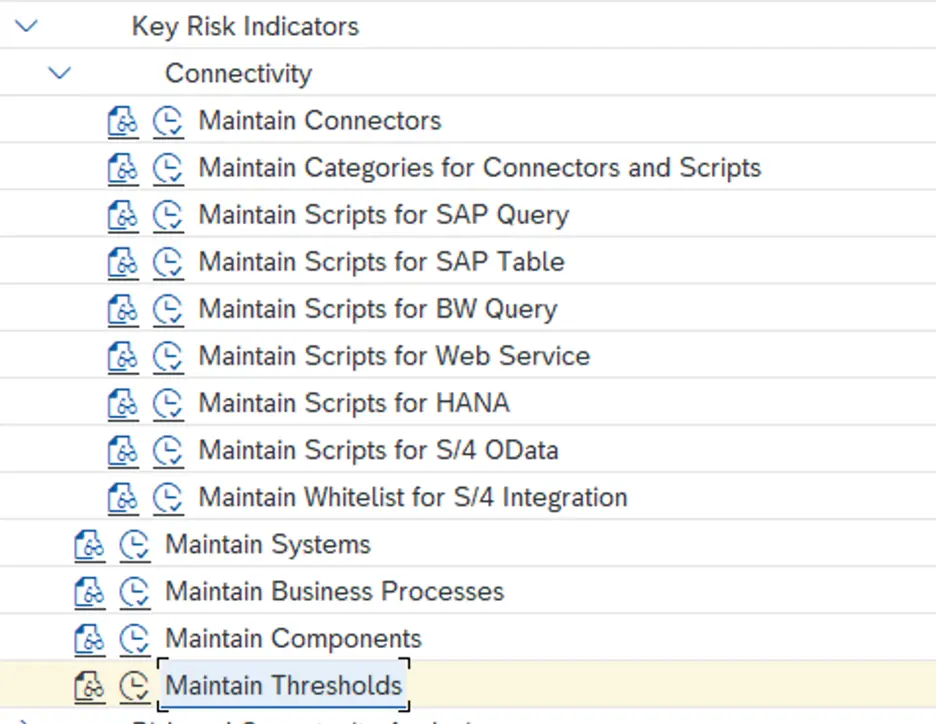
Dump while creating KRI (Key Risk Indicator) implementation.
Root Cause –
Backend configuration related to KRI is incomplete.
Fixes
Enable task specific customization setting.
(F). Error –
Effectiveness and assessments results not updated in Risk.
Root Cause –
Backend configuration related to response is incomplete.
Fixes
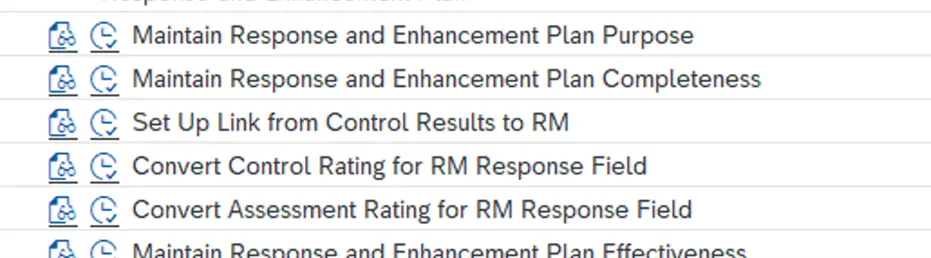
Enable below configuration for the values to get updated.